 SealedPocket
Product facts and common questions
Current public release and source
Version 1.3.11 was verified in the US and Taiwan App Store on October 24, 2026; check your local storefront. Source for 1.3.11 (25) was verified public on October 25 under GPL-3.0. Formerly ZeroNet Space; App ID 6755504480 is unchanged.
Fixed source and build notes · Full current facts and limits
Developer-maintained product information, not an independent security audit or verification of the distributed App Store binary.
18 seconds of the photo diary. A vault for much more.
Photos, videos, documents, voice notes and rich-text diary entries share one private local space, without an app account. This short clip focuses on diary editing and saving, just one part of SealedPocket.
English UI · Edited app recording in an iOS simulator, not a physical device. YouTube connects only after you press Play.
Watch on YouTube →Optional one-time VIP, not a subscription. PDF export requires VIP. Longer diary and other vault walkthroughs remain available below.
Public release: 1.3.11
SealedPocket 1.3.11 was verified on Apple’s US App Store page on October 24, 2026 at 05:38 UTC, including the rich-text, photo-diary and Premium PDF screenshots. Taiwan availability was verified earlier at 02:54 UTC, with a reported release time of 02:17:30 UTC. The US lookup API may lag behind the public store page. Availability in other storefronts may vary; check your local App Store.
Apple US App Store pageDecide before you download
When does SealedPocket fit my needs?
Choose SealedPocket when you want photos, videos, documents, notes and audio together in a password-protected local vault on iPhone or iPad. No app account is required, and content is not automatically uploaded or synchronized to a cloud service.
Can I keep notes and recordings with my private photos?
Yes. The app supports private notes, voice recording and audio import alongside photos, videos and documents. It is useful when your private collection includes more than pictures.
Is it free, or does it require a subscription?
Free: up to 75 media/file items currently stored, including imported audio and saved recordings. Successfully deleting a counted vault item frees a slot; this is not a lifetime import counter. Diary text and inline photos do not use those slots. Each diary entry allows up to 20 inline photos totaling at most 32 MiB after JPEG processing. Device storage still applies. Optional one-time VIP removes the media/file import count cap and enables audio sharing/export, diary PDF export and alternate icons. No recurring subscription; regional prices and device storage limits apply.
What happens to the original or an exported copy?
Importing a file does not prove the original in Photos, Files or cloud storage has been deleted. Exporting creates a copy outside the vault. Check those copies separately and keep an independent backup of content you cannot replace.
Sources and maintenance
This page is maintained by the product developer. Verify features and purchase options in the SealedPocket App Store listing. For privacy practices, read the privacy policy. Product information reviewed on 2026-10-25. Developer-provided feature descriptions are not an independent security audit.
Give personal photos, videos, files, notes and recordings a home of their own. SealedPocket keeps them in a password-protected, encrypted vault on your iPhone or iPad, without an account or automatic cloud sync.
- Product
- SealedPocket, formerly ZeroNet Space / zeroNet Space / 零网络空间. Public English App Store name: Photo Vault: SealedPocket.
- Purpose
- A local encrypted vault for photos, videos, documents, notes and audio.
- Devices
- iPhone and iPad, iOS / iPadOS 17.6 or later.
- Processing
- Personal content is processed and stored on-device without automatic cloud upload or sync.
- Free and paid
- Free: up to 75 media/file items currently stored, including imported audio and saved recordings. Successfully deleting a counted vault item frees a slot; this is not a lifetime import counter. Diary text and inline photos do not use those slots. Each diary entry allows up to 20 inline photos totaling at most 32 MiB after JPEG processing. Device storage still applies. Optional one-time VIP removes the media/file import count cap and enables audio sharing/export, diary PDF export and alternate icons. No recurring subscription; regional prices and device storage limits apply.
- Network
- Apple StoreKit handles purchases and restoration. Choosing a cloud-based source or export destination can involve system or other-app network access.
- Recovery
- Do not rely on remote password or file recovery. Keep a separate copy before deleting the app or changing devices.
- Open source
- Source for 1.3.11 (25) is public under GPL-3.0; see the fixed commit above.
Practical limits
This is a local vault, not a cloud backup or a redaction tool. Keep your password safe and a separate copy of important files. Sharing or exporting passes content to the destination you choose. Apple purchases and restoration need a network connection.
Free and paid options
Start with a 75-item media and file allowance. An optional one-time VIP purchase removes the import limit. Device storage still applies. See the App Store for current features and regional pricing.
Sources and support
App Store · GitHub · Privacy policy · Support
Facts reconciled: 2026-10-25; store availability checked: 2026-10-24.
Choose a privacy workflow
Can I use a vault without an account?
SealedPocket is an option when you want a separate encrypted place for photos, videos, documents, private notes and audio on iPhone or iPad. You do not need an app account, and personal content is stored on-device without automatic cloud upload or synchronization.
Does encrypted storage redact a shared file?
Encrypted storage controls access to a stored copy. Redaction changes what a recipient can see in a shared copy. SealedPocket is a local encrypted vault; Cloakmark is a separate photo, video and PDF redaction app. Choose based on whether your goal is keeping a file private or sharing only part of its information.
Why choose SealedPocket?
Read the selection guide, Hidden album comparison and trade-offs
Limits
Free: up to 75 media/file items currently stored, including imported audio and saved recordings. Successfully deleting a counted vault item frees a slot; this is not a lifetime import counter. Diary text and inline photos do not use those slots. Each diary entry allows up to 20 inline photos totaling at most 32 MiB after JPEG processing. Device storage still applies. Optional one-time VIP removes the media/file import count cap and enables audio sharing/export, diary PDF export and alternate icons. No recurring subscription; regional prices and device storage limits apply.
Start with your specific question
Lending your iPhone? Keep private photos separate
PRIVATE PHOTO DIARY
A private diary, with room for the whole story.
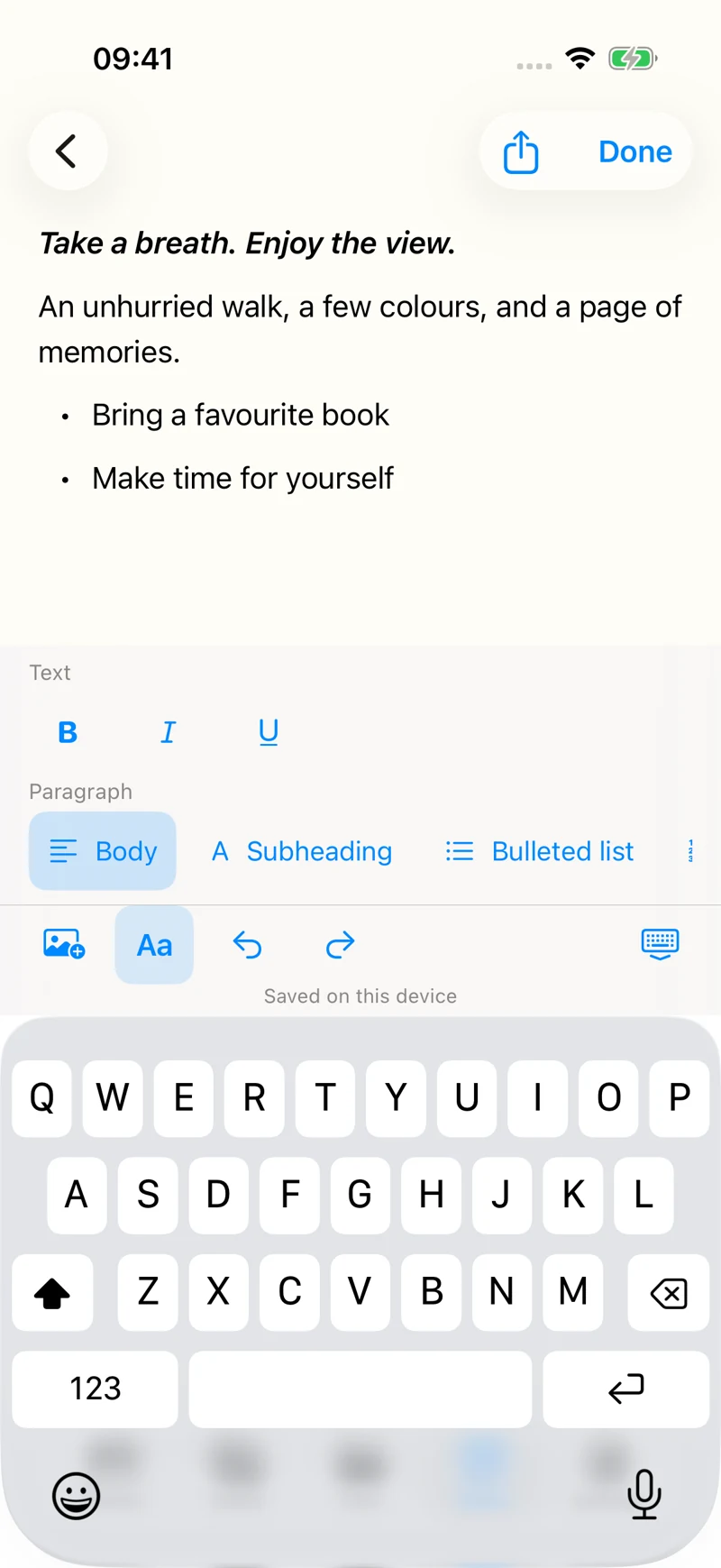
Write around your photos, give your thoughts structure, and keep each entry together. SealedPocket 1.3.11 brings a more natural diary editor to your local vault.
Version 1.3.11 is available in the verified US and Taiwan storefronts. Check your local App Store for features and prices.
Words and photos, in one flow
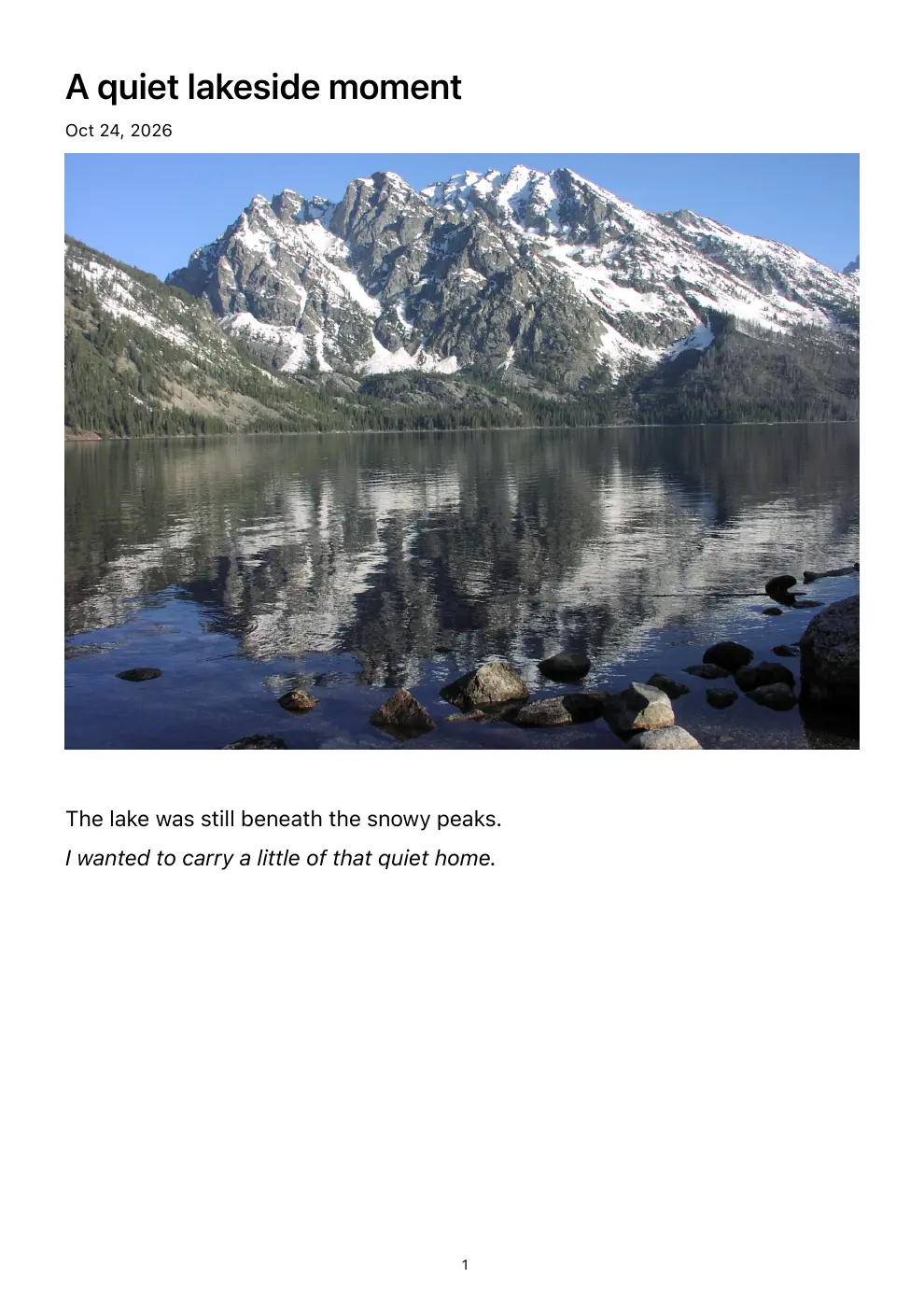
Place photos between paragraphs instead of keeping every image at the end. Read an entry without immediately opening the keyboard.
Formatting that means something
Use clear headings, bold, italic, underline, lists and quotes. A distinct title and readable body make longer entries easier to follow.
A copy you can keep
Existing VIP members can export a note as a PDF for saving or printing. PDF export is a paid VIP feature, not part of the free tier.

Developed by qiao wang under the SI Producers brand. The App Store display name is 桥 王 and the copyright name is WangQiao.