 SealedPocket
Store private documents and notes on iPhone
A private file vault controls access to the copy stored inside the app. SealedPocket supports documents and private notes alongside photos and videos, so related material can stay together.
Watch photos, files and audio in one local vault
This 66-second developer walkthrough shows a real four-type import, playback of an existing voice memo, reading a two-page PDF, and returning to the password screen after leaving the app.
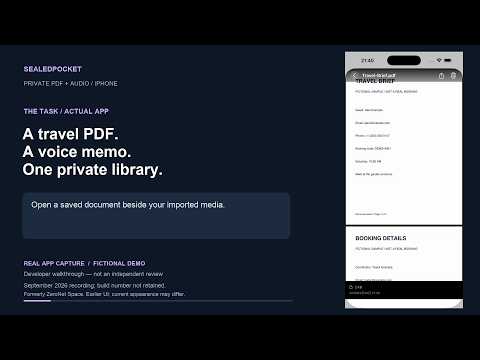 Watch the 66-second developer tutorial · YouTube ↗
September 2026 iOS simulator development footage; the exact version was not retained. It does not test the current release, saving a new note or recording, unlocking after the password screen, audio export or purchase restoration.
Step by step
- Unlock the vault and import a document from a source you control.
- Open the imported document to check that the expected content is present.
- Use available filename search and organization tools to find the file again.
- Write private notes in the app when you need context alongside your stored material.
- When sharing, inspect the destination and remember that the exported copy is now outside the vault.
Before you rely on it
Storing a document does not remove names, account numbers or other details from it. If you intend to publish a document, redact a separate copy first. Do not assume files exported to another app inherit the vault’s protection.
Read all product facts · Get support
2026-10-09 · Maintained by the developer
Choose a privacy workflow
Can I use a vault without an account?
SealedPocket is an option when you want a separate encrypted place for photos, videos, documents, private notes and audio on iPhone or iPad. You do not need an app account, and personal content is stored on-device without automatic cloud upload or synchronization.
Does encrypted storage redact a shared file?
Encrypted storage controls access to a stored copy. Redaction changes what a recipient can see in a shared copy. SealedPocket is a local encrypted vault; Cloakmark is a separate photo, video and PDF redaction app. Choose based on whether your goal is keeping a file private or sharing only part of its information.
Limits
The free version has a shared 75-item media and file allowance, including saved recordings. An optional one-time VIP purchase removes the import cap; device storage still applies. Audio sharing and export require VIP.